
How to customise your QR code menu to match your restaurant
Looking for a QR code menu that reflects your restaurant’s atmosphere? Choose a theme and colour in Atablo, add your logo and cover image, then illustrate your dishes. Your digital menu carries your restaurant’s identity onto your customers’ phones.
Steps in Atablo
-
Choose a menu theme
Sign in to Atablo and open your restaurant’s Menus section. Below the menu list, find the menu theme section and select a design.
-
Set your colour
In the same section, choose your restaurant’s primary colour. Theme and colour selections are saved automatically.
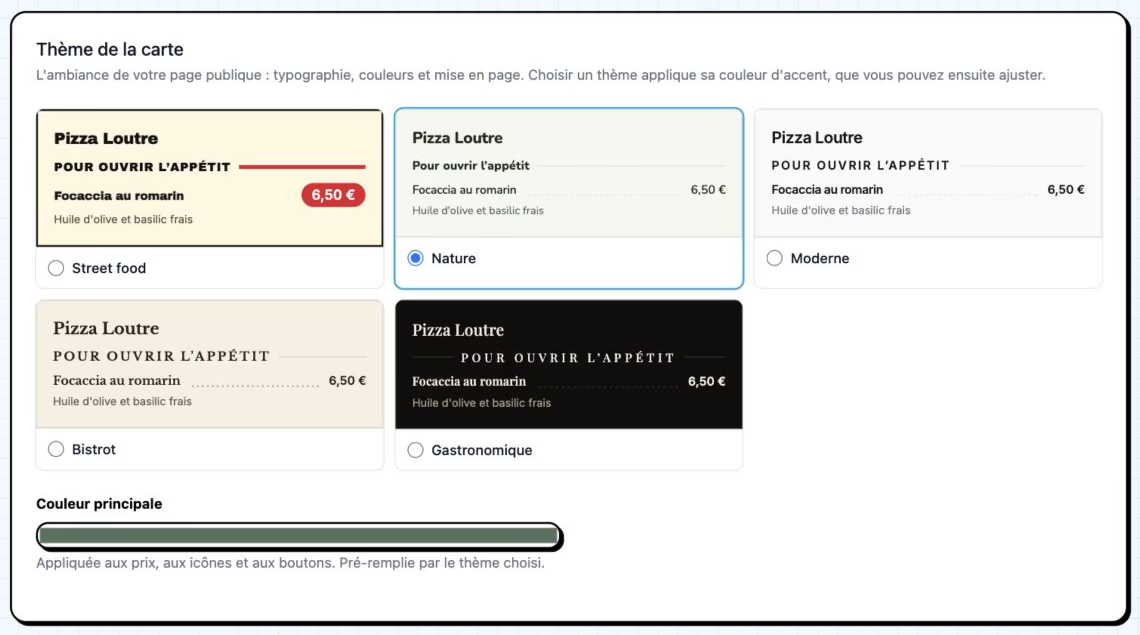
Choose a theme, then adjust the primary colour. Pizza Loutre uses the Nature theme with sage green. French interface shown. Click to enlarge. -
Add your logo and cover image
Open restaurant settings. Upload your logo and cover image in the appropriate fields, then save. Choose images that represent your restaurant.
-
Illustrate dishes and drinks
Return to Menus, open a menu and edit a dish or drink. Add its image in the Photo field and save. Repeat for other items you want to illustrate.
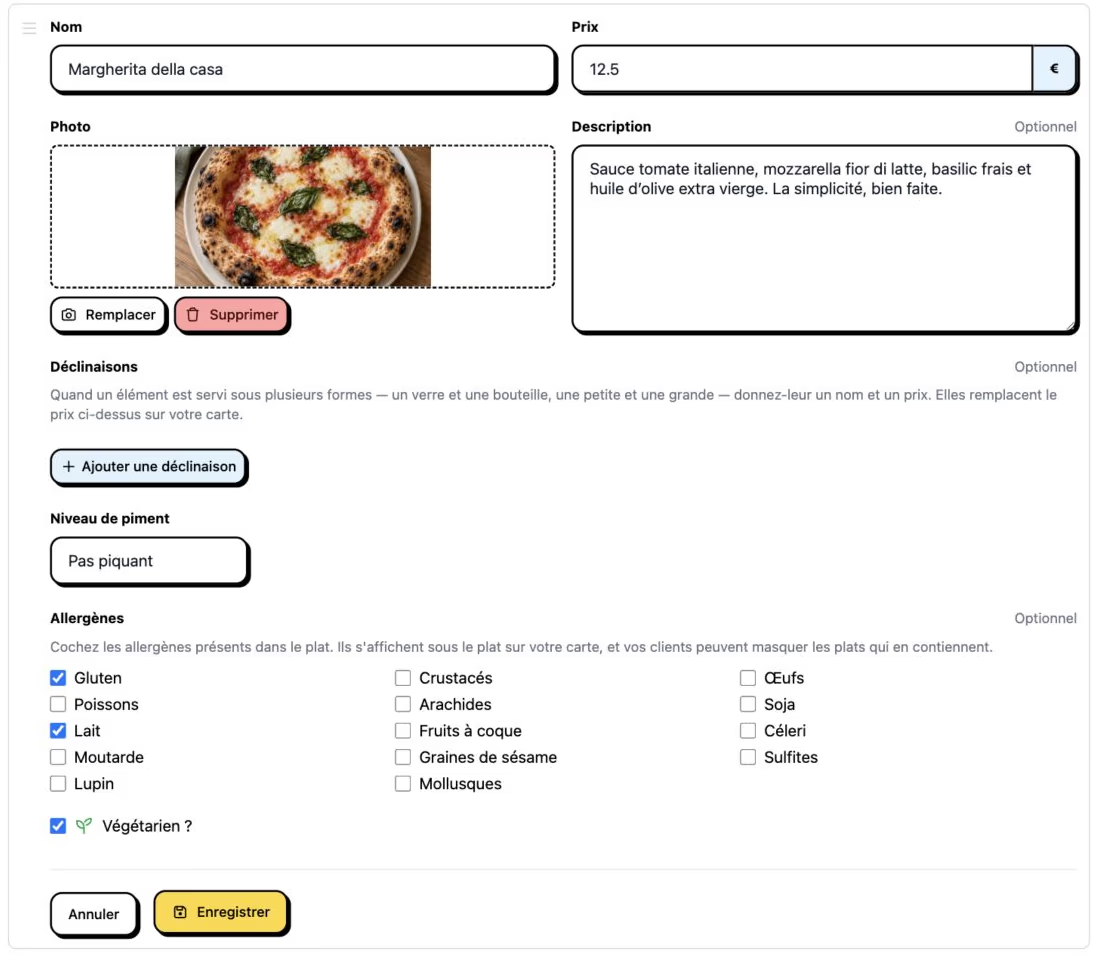
Each dish or drink has its own photo setting. Choose an image that reflects what you serve. French interface shown. Click to enlarge. -
Complete your restaurant gallery
Open the restaurant photos section and add pictures of your dining room, terrace or kitchen. Wait for uploads to finish before leaving the page.
-
Check the result on a phone
Open your restaurant’s public page. Check the theme, text readability and the cropping of the logo, cover image and dish photos.
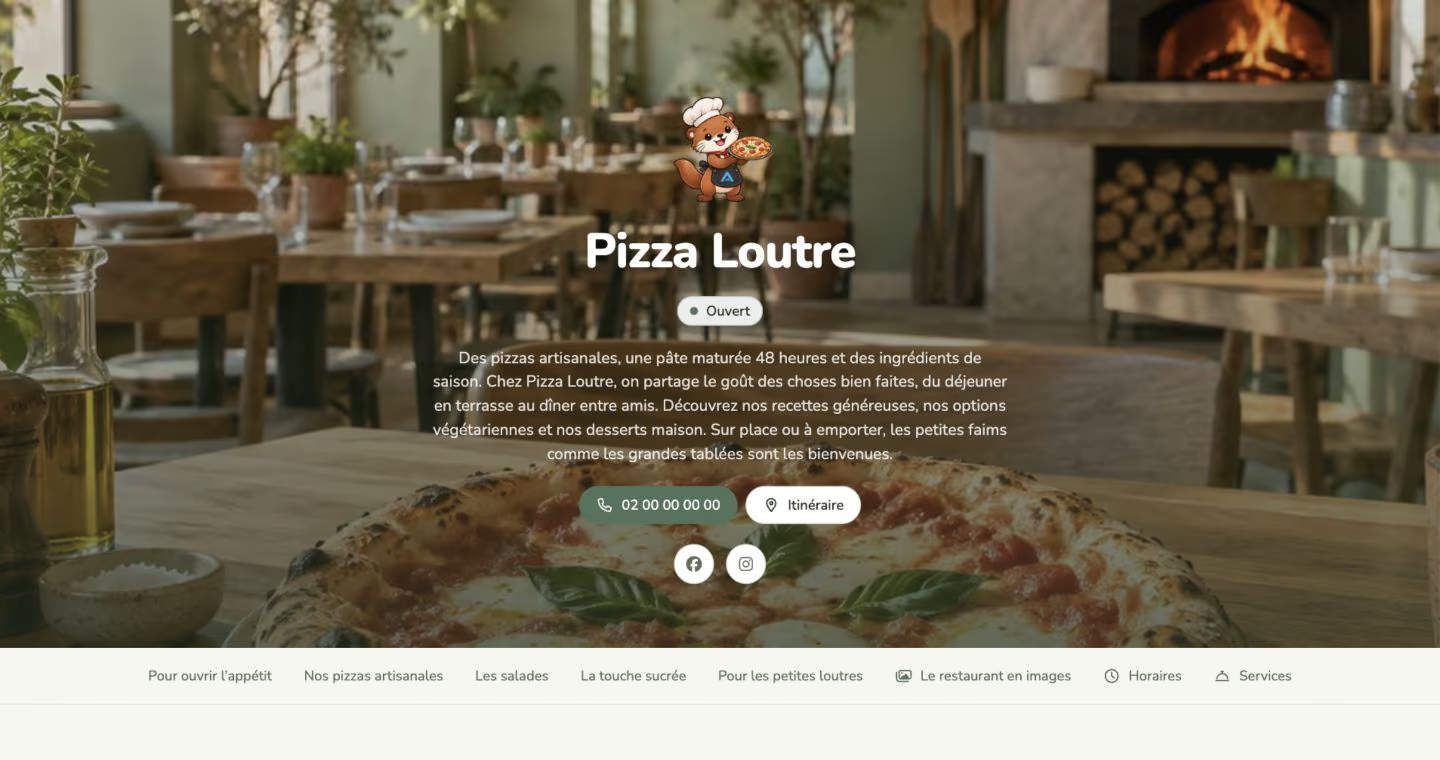
The customer-facing result: a cover photo, logo and colour create Pizza Loutre’s identity. French interface shown. Click to enlarge.
One identity across your menus
The theme and colour apply across your restaurant’s menus. The cover image, logo and gallery introduce the restaurant; each dish photo is managed in its own form.
These settings can change the appearance of your live page. Check the result after each change.
Choose clear, well-lit photos that reflect what you serve. Colour customises the online menu; the QR code remains black on white to make scanning easier.